The Textmagic online SMS service allows you to send mass text campaigns with ease.
Build successful campaigns or support your sales and customer service teams.
Send and receive SMS online
Communicate with customers, prospects, and staff from our simple, online text messaging platform.
SMS subscribe forms
Each visitor of your website is a potential mobile marketing subscriber. Start capturing their mobile numbers with our subscribe forms.
Two-way texting
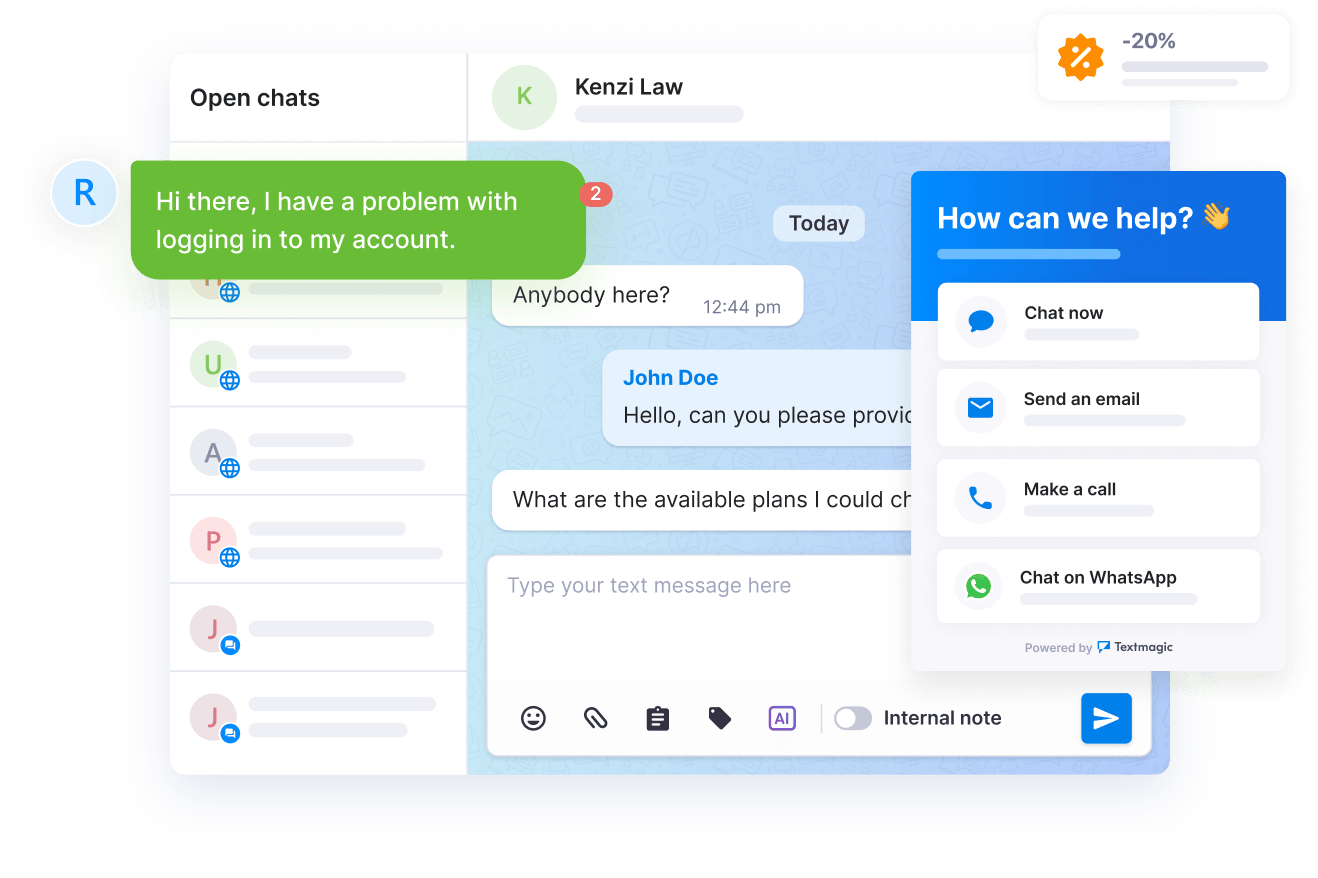
Our SMS chat allows you to engage in real-time conversations and deliver quick responses to urgent questions.
Import contacts
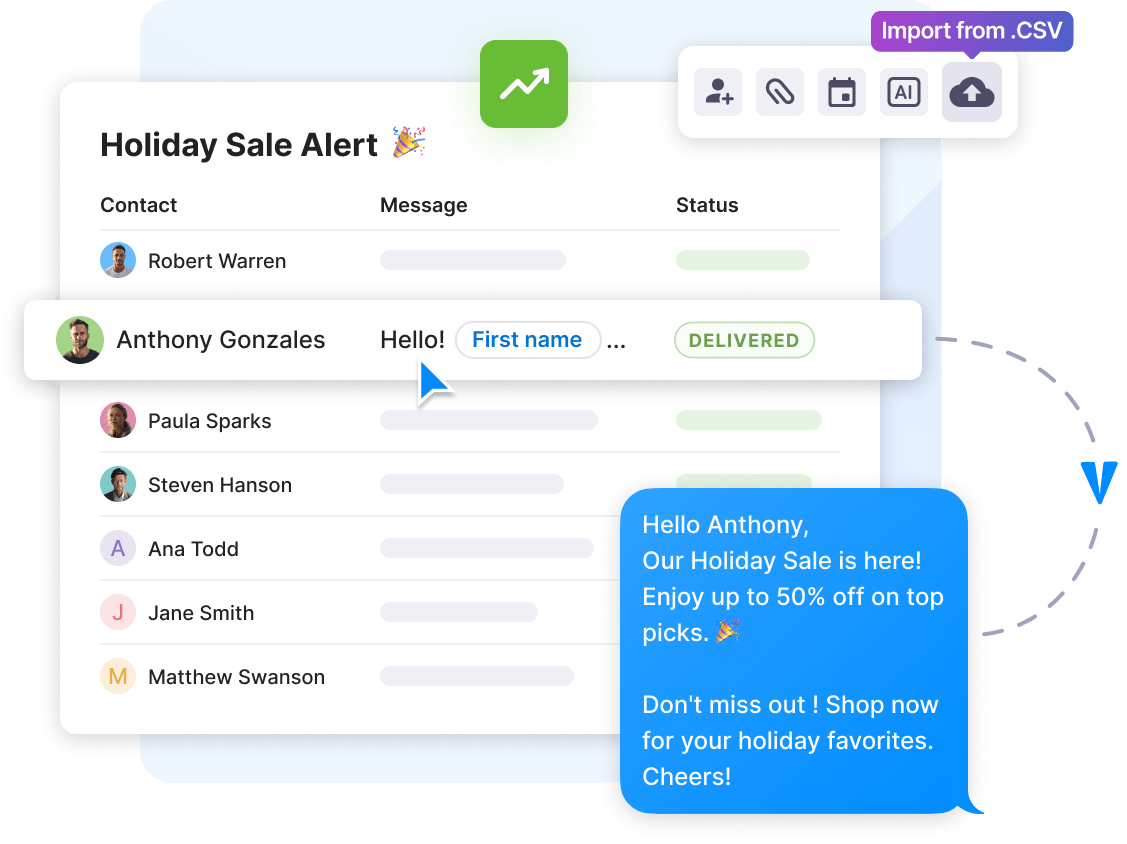
Upload thousands of contacts from a CSV or Excel file or by copy and pasting. All imported data is validated and duplicates get removed.
Text message scheduling
Schedule your texts to be sent hourly, daily, weekly, monthly or yearly. Cancel or edit SMS campaigns anytime from any device.
Text message surveys
Improve customer experience and collect instant feedback from any audience with our intuitive SMS survey tool.
Long text messages
When the standard 160-character SMS message is not enough, you can send longer messages of up to 918 characters.
Track text messages
Check text campaign performance across the globe with near-instant delivery notifications, allowing you to keep track of every communication.
SMS attachments
Attach almost any file, PDF, Excel and Word, pictures, videos and more. No need to send expensive MMS messages.
Unicode SMS
Send and receive texts in any language and alphabet in the world up to 402 characters. All special symbols are supported.
Mailchimp
Email campaigns
Intercom
Live chat
Zendesk
Ticketing system
Asana
Project management
Zoho CRM
CRM
Shopify
eCommerce
Slack
Team chat
Pipedrive
CRM
Google Drive
Cloud storage
Google Calendar
Events & meetings
Gmail
Email
Trello
Project management
Bandwidth
CPaaS
Vonage
CPaaS
Twilio
Twilio
Sinch
CPaaS
INTEGRATIONS
Seamless integration with 1,000+ business apps
Improve efficiency with automated messaging workflows. Our no-code Zapier integrations and robust APIs connect Prestige Marketing to all your favorite apps and tools.
“With the implementation of Textmagic, we experienced a zero effort, highly reliable and stable service that helped us to bring our product to the next level.“
Discover how Loomion uses text messaging to effectively keep board members up to date.
How to send a text online with the Textmagic web app?
The Textmagic app makes it easy for you to send SMS messages online to customers, prospects and co-workers. Here’s what you need to do to quickly send texts online:
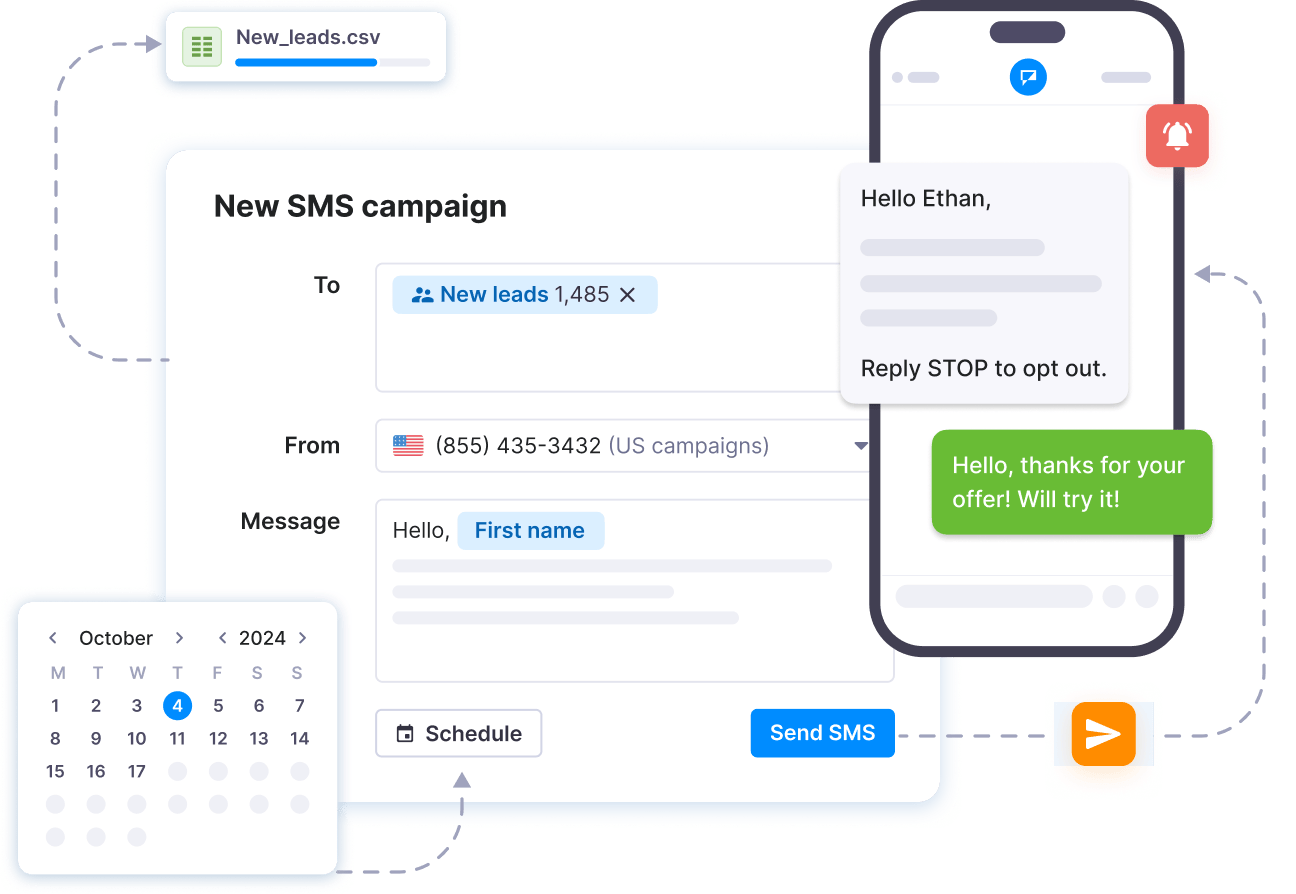
Step #1: Register a Textmagic account or log in to your existing account and click on ‘Compose’.
Step #2: Enter the recipient’s number, or add it from your contact list.
Step #3: Select the number/sender ID you want the message to be delivered from. (Learn more about sender settings.)
Step #4: Type your message or use a template. Once the message is ready, click Send or Schedule message.
How do I schedule a text message?
By clicking on the Schedule message option in the bottom-left area of the screen, you will be able to schedule your online SMS message. You can set the text to be sent only once, on a predefined date, or to be sent repeatedly every hour, day, week, month or year.
How do I send SMS with attachments?
You can attach images, GIFs, PDFs, documents, or other files to your text messages in the Textmagic web app. This allows you to share brochures, menus, event calendars, and other important materials with your customers, making your texts more engaging and informative.
To send an SMS with an attachment, log into your account and create a new message. Click the Attach file button next to the message box to upload your file. The recipient will receive a secure link to view or download the attachment.
Please note that SMS attachments are different from MMS, which allows images and media to be sent directly within the message rather than as a link. While Textmagic supports MMS, availability depends on your location. You can check our pricing page for an overview of the countries where MMS is available via the Textmagic web app.
How much does it cost to send a text or attachment?
The cost of sending a text in the Textmagic web app depends on several factors:
Message length
Recipient destination
Number of recipients
Textmagic automatically calculates the cost of your message as you compose it. You can see this displayed below the message box, along with the character count and number of message parts. Please note that a standard SMS contains up to 160 characters. Messages exceeding this limit are split into multiple parts, which will affect the total cost.
Sending an attachment with your messages does not incur additional charges beyond the SMS itself. The recipient receives a secure link to access the file, allowing you to enrich your messages with images, PDFs, and other documents at no extra cost.
For more detailed pricing information, please use our Pricing page calculator.
Can I send texts in different languages or with special characters?
Yes, Textmagic fully supports Unicode SMS, allowing you to send messages in any language, including Chinese, Arabic, and other scripts with special symbols.
However, message length limits differ based on character encoding:
If you use the standard GSM 03.38 character set, a single SMS is limited to 160 characters, and the maximum length for a concatenated text message is 918 characters.
If your message contains Unicode characters, including emojis, it will be encoded as Unicode SMS. A single Unicode SMS is limited to 70 characters per part, and the maximum length for a concatenated Unicode message is 402 characters. You can also include emojis in your texts but remember that they count as multiple characters, reducing the number of characters per message.
If your message exceeds these limits, it will be split into multiple segments, each billed separately. While recipients see the message as a single text, segmenting may increase costs.
For example, sending a 160-character GSM message to a US number costs $0.049, and a Unicode message of up to 160 characters also costs $0.049, but due to Unicode encoding, it will be split into three segments. You can use our SMS length calculator to get a more accurate estimate.
How do I import a list of contacts?
You can easily upload a list of contacts by importing an Excel (.csv or .xls) file or pasting numbers directly into the Textmagic web app. Our filtering system automatically removes duplicate or invalid numbers, ensuring your list remains clean and accurate.
Textmagic prioritizes data privacy and security. All imported contacts are securely stored, and you have full control over your data.
You can edit, delete, or export your contact lists at any time to comply with data protection regulations. We do not share or use your contact data for any purpose other than your messaging activities.
How can I receive replies to my messages?
You can receive replies to your messages in multiple ways, depending on your business needs:
Two-way SMS chat in the Textmagic online inbox.
Email forwarding to send SMS to your email address.
API integration to send SMS to your CRM or other software.
To receive inbound messages, you need a dedicated virtual number, which you can get directly from Textmagic for specific regions.
Can I set up auto-replies for incoming SMS messages?
Yes, you can create automated responses based on keywords or triggers to reply instantly to incoming messages. This can be set up in the Automation rules section of the Services tab, where you can define keywords and specify actions for them. You can use these for:
Customer support
Appointment scheduling
Order tracking
Event registrations
And more.
Try our fully featured business texting platform today
Grow revenue and improve engagement rates by sending personalized, action-driven texts to your customers, staff, and suppliers.